When a lighting rig is beautifully designed but poorly aligned, the result can be disastrous. Misaligned fixtures ruin the audience experience, waste programming effort, and even pose safety risks. Whether you're working with a modest mobile truss or a large multi-universe system, getting alignment right before the show is critical.
In this guide, we break down the most effective practices that professional lighting designers and technicians use to ensure their fixtures are accurately targeted and optimized—every time.
1. Start with a Pre-Show Focus Map
Before any beam hits the stage, a well-planned focus map gives your crew direction. This map details:
Fixture ID and position
Intended focus points (center stage, backdrop, side wings, etc.)
Beam angles and spread per fixture
Effects (gobos, color temperature, prism use)
Even simple paper diagrams or mobile apps like Lightwright or Vectorworks can help. For mid-size shows, Excel templates tied to fixture patch data are equally effective.
2. Use Home Positioning and Locking Gimbals
Always reset each fixture to its home or “zero” position before alignment. This ensures all moving heads start from a known point. Physically locking gimbals during transport prevents fixture tilt drift that throws off programming cues.
Tip: For fixtures that support pan/tilt calibration, initiate that routine immediately after powering on.
3. Confirm DMX Addressing and Universe Mapping
Improper DMX mapping can appear like misalignment but is actually a control error. Double-check:
Each fixture’s DMX address and mode
Proper universe/channel range
Termination at the last fixture in the line
Use DMX testers or software-based visualizers (like MA 3D or Capture) to verify signal behavior in real time.
4. Mark Physical Reference Points on Stage
Before aligning beams, set reference points like:
These markers allow you to fine-tune each fixture to precise locations, especially helpful for repeatable effects.
5. Align from Center Outward
Start with key center-stage or FOH-facing fixtures. Once the central zone is established, align outer edges and fill-in spots next. This prevents beam crowding and overlap that could reduce clarity.
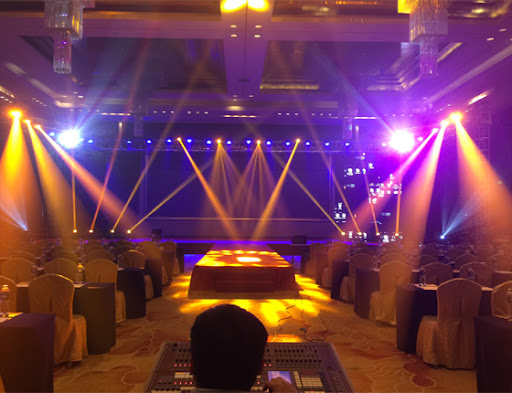
If using fixtures like the 200W Beam Spot Wash Hybrid Moving Head, which combines narrow beams and wide washes, test each mode individually before programming.
6. Use Test Presets and Color Contrasts
Programming consoles like grandMA or Chamsys let you build focus presets. Assign bold primary colors (e.g., red, cyan, green) during alignment so beams are visible against each other and stage elements.
Tip: For clubs or dark venues, use haze early to make beam paths visible. Just don’t overdo it before guests arrive.
7. Record Alignment Presets for Every Position
Once each fixture is correctly aligned, store it as a preset or palette. These references are crucial when:
Power cycling before showtime
Resetting after transport
Recalling multiple lighting scenes in quick succession
Especially in complex rigs, having fixture alignment presets saves hours of recalibration during touring setups.
8. Check for Obstructions and Heat Zones
Before finalizing, do a visual inspection of each beam path:
Are there hanging cables or speakers in the way?
Is a fixture pointing too close to a performer or sensitive object?
Are high-output lights (like strobes or hybrids) facing projection screens?
Adjust accordingly and document changes in your focus map.
9. Involve the Show Director or Choreographer
If your cues are synchronized with blocking or choreography, walk through focus scenes with the show director. This prevents embarrassing moments like a soloist stepping into a cold zone or being blinded mid-line.
10. Final Runthrough with Music and Cue Timing
No alignment routine is complete without a real-time test. During final rehearsals:
Run all cues with music/timing
Note latency or lag in pan/tilt fixtures
Adjust any misfiring scenes and re-store presets
Ensure everyone, from follow-spot ops to lighting board operators, is comfortable with the rig's behavior.
READ MORE:



