Precise alignment of multiple beam fixtures is essential for stunning aerial effects, symmetrical chases, and consistent mid-air visuals. Traditionally, technicians rely on laser pointers to achieve perfect alignment across truss lines and floor positions. But what if lasers aren’t available—or worse, restricted due to safety or regulatory concerns? This article outlines practical, accurate, and safe methods to align beam fixtures without using a laser, while maintaining professional-quality results.
Why Beam Alignment Matters
In modern productions—concerts, nightclubs, festivals, and televised events—beam lights are often used to:
Create sharp mid-air fans or tunnels
Define spatial geometry (X, Y, Z axes)
Emphasize stage symmetry and performer isolation
Enhance timecoded sequences with visual rhythm
Even a small deviation in alignment can ruin the intended visual geometry, causing beams to drift, scatter, or cross awkwardly.
When Lasers Aren’t an Option
Laser pointers are popular because they provide a clear, visible reference line. However, some environments or regulations prevent their use:
Venues with laser restrictions (museums, airports, schools)
Union or safety rules prohibiting unlicensed Class IIIB/IV lasers
Installations in daylight conditions where lasers are hard to see
Situations lacking alignment tools on short notice
Thankfully, there are effective, low-tech and tech-assisted alternatives to laser-based alignment.
Step-by-Step Non-Laser Alignment Methods
1. Visual Grid Marking with Tape and String
A simple grid or straight-line reference made of neon tape or mason string stretched across the stage or truss can help immensely.
Steps:
Measure and mark beam fixture centers on the truss or floor
Stretch a taut string line as a visual reference across all points
Pan/tilt each fixture visually to follow the string's path
Best for: Single-plane symmetry, linear beam chases
2. Using Pre-Focused Fixture Templates
If the same rig is reused (touring, rental, or permanent install), you can build a fixture alignment library:
Save position presets from a previously aligned setup
Use those presets as references for realignment
Create gobos with alignment crosses or beam dots to fine-tune aim
Some designers prepare a special “alignment showfile” containing position macros.
Best for: Touring shows, rental setups with repeating trusses
3. On-Screen Alignment via Console Visualizers
Lighting consoles with 3D visualizers (e.g., MA 3D, Capture, Vision, LightConverse) allow operators to pre-align fixtures virtually.
Steps:
Align fixtures in visualizer using accurate positional data
Transfer position presets to the real console
Use fixture’s pan/tilt encoders to match visual vs real-world beam direction
While the final adjustment still requires eye verification, this method speeds up rough alignment.
Best for: Indoor venues, large rigs, previsualized shows
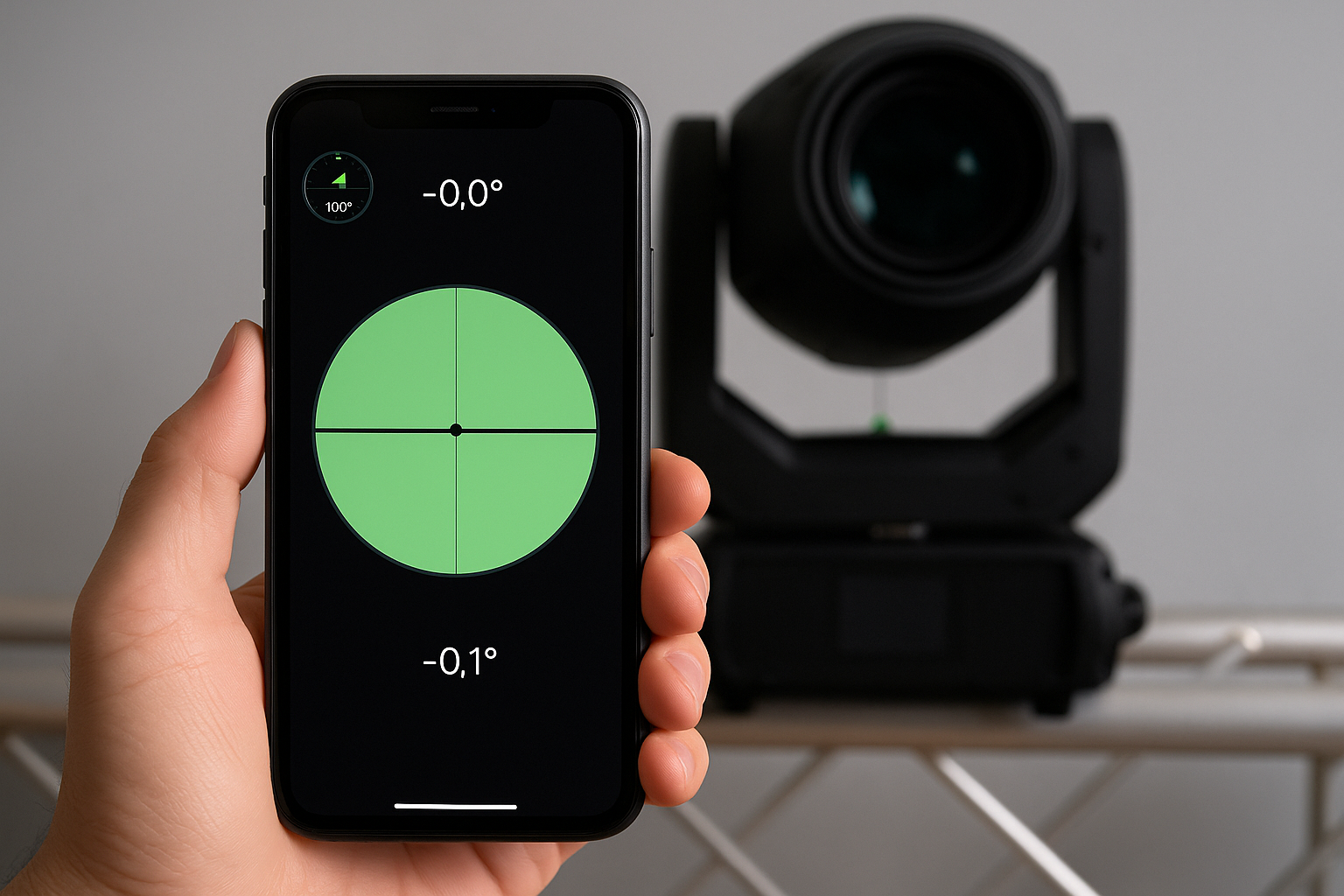
4. Mobile Apps with AR Leveling and Angle Guides
Apps like Theodolite, Laser Level, or Angle Meter can simulate alignment planes:
Use AR overlays or crosshairs aligned to fixture center
Manually align each head’s pan/tilt angle to match reference angles
Combine with distance-based truss markings for better results
Though not pixel-perfect, this method works well when paired with visual calibration.
Best for: Installations without console visualizers, small setups
5. Shadow Mapping and Gobo Cross Projection
Using a crosshair gobo or similar beam effect, fixtures can project onto a vertical surface like a wall or curtain. Once aligned:
This gives a reference point for consistent beam direction across the rig.
Best for: Theatrical spaces, curtain-backed stages
Advanced Tips for Accurate Non-Laser Beam Alignment
Use fixed reference fixtures: Set one perfectly aligned head as a visual master
Create symmetrical DMX groupings: Match opposite fixture IDs for mirrored control
Use slow pan/tilt test chases to visually detect angle divergence
Double-check focus points at key distances (e.g., 10m, 20m) to avoid divergence in long-throw installs
Record focus macros as snapshots once alignment is visually confirmed
Even with non-laser tools, a consistent methodology ensures alignment accuracy.
READ MORE:



