Introduction
Lighting control is the beating heart of any modern stage production. Whether you're designing a concert, theatrical performance, corporate event, or immersive experience, the right software transforms your artistic vision into real-time, pixel-perfect reality. With countless options available, choosing the right lighting control software and mastering key workflows is essential for reliability and creative freedom.
This guide covers six top-tier lighting control software platforms and essential pro tips to help lighting technicians and designers maximize their efficiency and artistic precision.
1. GrandMA3 (MA Lighting)
Overview:
GrandMA3 is the industry benchmark for large-scale productions. It combines powerful hardware consoles with sophisticated software, offering real-time visualizers, 3D programming, and expansive DMX universes.
Key Features:
Multi-user network programming
Native MA-Net protocol and Art-Net/sACN support
Timecode, MIDI, and OSC integration
Custom fixture profiles via GDTF
Console + PC-based versions
Ideal For:
Touring concerts, arena shows, TV studios
Technicians familiar with command-line syntax and cue stacks
Pro Tip:
Use 'Phasers' for dynamic parameter animation. In GrandMA3, phasers allow you to animate any attribute (pan/tilt, color, intensity) across a timeline with just a few steps, greatly speeding up effect creation.
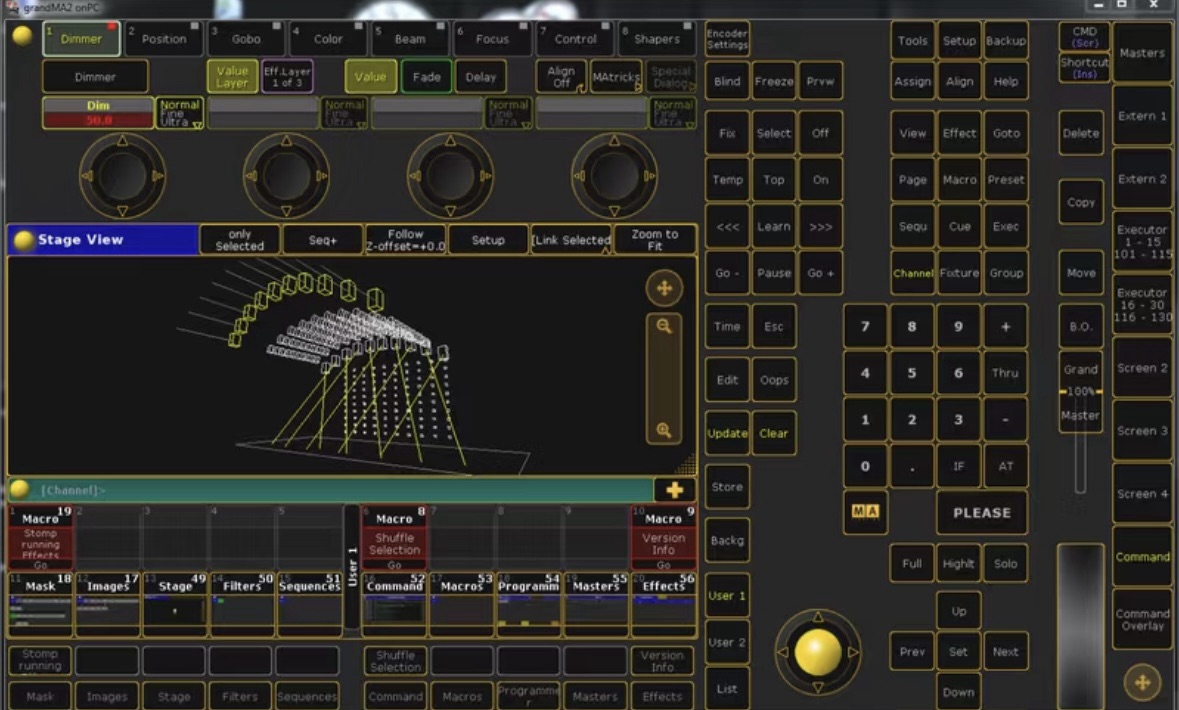
2. Chamsys MagicQ
Overview:
Chamsys MagicQ provides a cost-effective, flexible solution without compromising on pro features. Available as console or free PC software, it’s widely used in mid to large-sized productions.
Key Features:
2022+ fixture library
Pixel mapping engine
Timeline editor and FX generator
Remote focus via smartphone
Cross-platform: Windows, macOS, Linux
Ideal For:
Festival stages, houses of worship, broadcast studios
Teams seeking powerful software on a budget
Pro Tip:
Use the “Execute Window” to simplify live playback. Assign chases, cues, or macros to a single virtual button for on-the-fly control without disturbing preprogrammed sequences.
3. Lightkey (for Mac)
Overview:
Lightkey is a macOS-exclusive DMX lighting software designed for intuitive control. With its drag-and-drop interface and real-time 3D visualization, it’s a favorite among designers working on corporate, event, or wedding shows.
Key Features:
Touch-friendly live control
Fixture groups and zones
Real-time feedback and cue tracking
MIDI & OSC integration
Up to 4 DMX universes (license-based)
Ideal For:
Event designers, churches, corporate AV technicians
Mac-centric workflows
Pro Tip:
Use Lightkey’s Scene Templates to pre-build looks by fixture type, making it easy to apply consistent themes across different venues.
4. ONYX (by Obsidian Control Systems)
Overview:
Previously known as M-PC, ONYX offers a modern interface and deep integration with Obsidian’s console line. The software supports advanced triggering and layered programming logic.
Key Features:
Touchscreen-optimized GUI
Dynamic FX engine
OSC, MIDI, SMPTE timecode
128 DMX universes with hardware
Free version available with limited universes
Ideal For:
Churches, clubs, tours, and rental houses
Users needing powerful control at no cost
Pro Tip:
Use the ‘Playback Override Priority’ system to cleanly isolate fader-based looks from background cues, especially during busking or live edits.
5. QLC+ (Open Source)
Overview:
QLC+ is a free, open-source lighting software offering basic to intermediate control features. While not as visually polished as commercial platforms, it excels for small theaters and community stages.
Key Features:
DMX, MIDI, Art-Net, and OSC support
RGB matrix editor
Cue stack and scene builder
Open-source fixture library
Ideal For:
Schools, amateur theater, small touring teams
Technicians on zero budget
Pro Tip:
Use ‘Virtual Console’ to build custom live interfaces, giving operators a button-based control system suited to their performance workflow.
6. Sunlite Suite 3 (Nicolaudie)
Overview:
Sunlite Suite 3 is widely adopted for architectural and event lighting thanks to its timeline-based programming and strong visual interfaces.
Key Features:
Timeline editor with audio sync
Color & beam visualizer
Calendar-based scheduling
Native support for DMX over USB/DIN hardware
Advanced triggering (MIDI, touch, dry contact)
Ideal For:
Clubs, retail events, installations, mobile DJs
Cross-over projects (stage + architectural)
Pro Tip:
Utilize the ‘EasyShow’ module for synchronized light + audio playback with timecode accuracy—ideal for pre-programmed shows.
Pro Tips for All Platforms
Regardless of the software, success in lighting control comes down to methodology. Here are universal tips used by professionals worldwide:
1. Label Everything
Use consistent naming conventions for cues, groups, and scenes. Color code your pages for faster navigation under time pressure.
2. Previsualize Whenever Possible
Use the software’s built-in 3D view or external visualizers (Capture, WYSIWYG) to test looks before installation—saving hours on site.
3. Backup Your Show Files Frequently
Whether USB, cloud, or remote, store multiple versions. A corrupted file mid-show is every LD’s nightmare.
4. Use Cue Timing Strategically
Vary fade times per fixture group (e.g., front light 2s fade, backlight 5s fade) for more organic transitions.
5. Learn the Shortcut Keys
Fluency in software hotkeys can halve your programming time.
6. Practice Busking Logic
For live music and interactive shows, create flexible playback pages with manual override options.
READ MORE:
Lighting That Lasts: Exploring Longevity and Maintenance in LED Fixtures
Iluminación que dura: explorando la longevidad y el mantenimiento de los accesorios LED
Iluminación de festivales al aire libre: una guía práctica de diseño
Eco-Friendly Efficiency: The Green Revolution in LED Fixtures
Cómo la iluminación apoya la narración escénica en el teatro



Blue Sea Lighting is an enterprise with rich experience in the integration of industry and trade in stage lighting and stage special effects related equipment. Its products include moving head lights, par lights, wall washer lights, logo gobo projector lights, power distributor, stage effects such as electronic fireworks machines, snow machines, smoke bubble machines, and related accessories such as light clamps.
Quick Links
For more questions subscribe to our email