Introduction: Why Macros Matter in Live Lighting
In high-pressure live lighting scenarios—concerts, theater, corporate events—lighting designers are constantly juggling layers of cue complexity, timings, and scene transitions. A single misstep or delay in a scene switch can fracture the audience’s visual immersion. Enter macros: a powerful tool built into many modern lighting consoles that allow multiple actions to be executed with a single command. For transitions involving numerous fixtures, parameters, and precise timing, macros offer repeatability, reliability, and speed.
Macros simplify control by allowing designers to pre-package commands that would otherwise take time to enter manually. This ensures consistency during every run, even when conditions vary, and drastically reduces the risk of operator error during a live show.
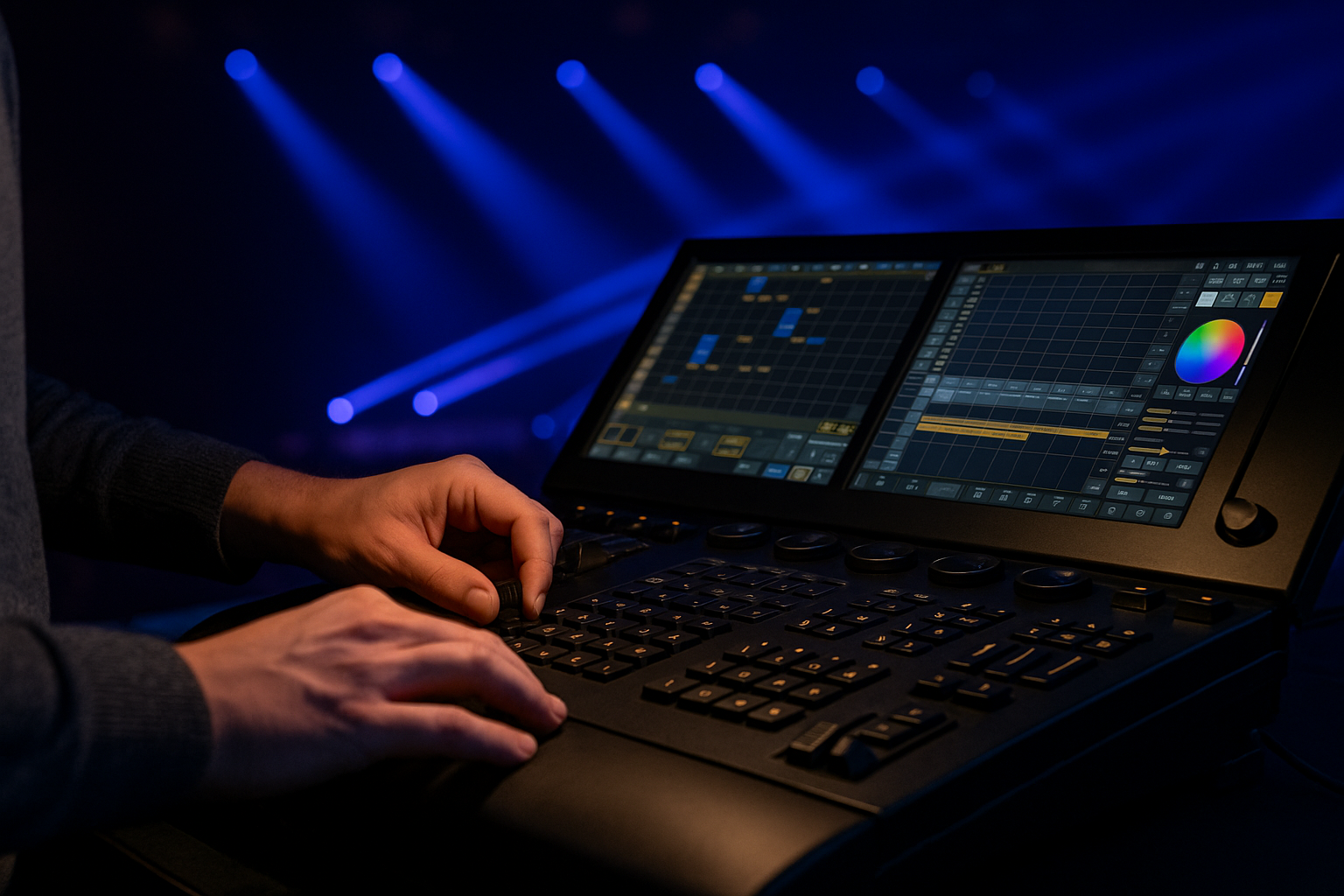
Understanding What a Macro Is
At its core, a macro in lighting control is a scripted set of commands or functions executed in sequence. These can include fixture selection, intensity fades, color shifts, gobo changes, pan/tilt adjustments, timing cues, and more. Think of it as a lighting version of a shortcut key combo on a computer—but more powerful.
Macros can be time-triggered or manually activated. Most consoles support conditional macros as well, allowing logic-based behavior (e.g., “only trigger if certain fader is active” or “only execute during Scene 5”).
When to Use Macros Instead of Cues
While cues are essential for show playback, macros excel at managing backstage complexity. Macros are most valuable when:
You need to execute non-linear sequences (e.g., responding to unpredictable performer movement).
Several fixtures must execute multi-step transitions in parallel.
You want to batch operations (e.g., reset all beam angles + restore CMY + trigger strobe fade).
You’re programming emergency backup sequences in case of cue skip.
For example, in an EDM festival where each drop involves fast dimmer sweeps, pixel effects, and position resets, a macro can collapse that transition into one keystroke.
Examples of Complex Transitions Simplified by Macros
Let’s break down a typical complex visual transition and how macros streamline it:
Scenario: Transition from moody wash to high-energy beam matrix
Without macros:
Select wash group → fade to black
Select beam fixtures → intensity to 100%
Set color macros on each beam → stagger timing
Position beam matrix overhead
Trigger audio-synced strobe
With macros:
One macro labeled “Scene 4 to Drop” handles all of the above within 1.5 seconds, with pre-programmed delays between each step.
Not only does this save time, it also ensures reproducibility every night.
Macro Use Cases in Touring Productions
Touring lighting designers, particularly in pop and rock concerts, often use macros to deal with varying rig layouts. For example, macros can:
Adjust all position presets by a relative offset if a truss hangs lower in Venue B than in Venue A.
Trigger an entire rig warm-up sequence automatically on power-up.
Deactivate specific zones if certain DMX universes fail.
Because of the high speed and low margin for error required on the road, macros become the safety net that prevents disasters while enabling more dynamic programming.

Macro Chaining and Nesting
Advanced lighting systems allow for macro chaining—one macro calling another. This allows modular programming. For example:
Macro A: handles color transitions
Macro B: handles position resets
Macro C: calls Macro A and Macro B with timing delays
This modular approach allows for easier edits and better documentation. A lighting technician on tour can modify Macro B without affecting Macro C's integrity.
Programming Macros Efficiently
Efficiency in macro creation is key. Here are some practices:
Label clearly: Use consistent, descriptive names. Avoid "Macro 1", prefer "Strobe Reset MainStage".
Group logically: Keep beam macros separate from wash macros for easier editing.
Avoid redundancy: If a function exists in a cue stack, don’t double-program it in a macro.
Test with live output: Simulate a scene before a show. One typo can mean triggering the wrong universe or fixture group.
In most consoles (like GrandMA3, Avolites, or ChamSys), macros can be stored on playback buttons or fader start triggers.
Touchscreen Integration with Macros
Modern touchscreen consoles enhance macro interaction. Designers can program macros to be accessible via large, labeled buttons or gesture-based swipe zones. Some designers use color-coded macros—red for emergency resets, green for look-building, blue for blackout toggles.
For high-pressure environments, this visual and tactile reinforcement minimizes operator confusion. Multiple macros can be assigned to touch pages, organizing scenes, emergency sequences, and house light toggles all within easy reach.
Macros for Architectural and Theater Lighting
Macros are not exclusive to concerts. In theater, a macro might:
Kill all non-stage lights
Lower the curtain automation
Fade house lights in a sequence
Play a specific audio cue simultaneously
Architectural lighting in museums or installations can also benefit. For example, a macro could trigger an entire lighting “show” on a facade, then return to default white wash at 10:00 PM.

Safety Considerations When Using Macros
Macros carry great power—and potential risk. Improperly configured macros can black out stages unintentionally or flood moving heads with conflicting instructions. To avoid problems:
Always dry-run a macro sequence.
Use clear naming and labeling protocols.
Limit access to macros that affect critical operations.
Disable nested macros that call cue stacks unless verified.
Many consoles support user-level restrictions or confirmation prompts—use these for macros that control power cycling or remote relays.
The Role of Macros in Future Console Development
As lighting control becomes more data-rich (with fixtures returning health data, environmental sensors, and real-time input), macros will evolve beyond static sequences. We expect:
AI-assisted macros: Macros that adapt in real time based on crowd noise, BPM, or fixture error reports.
Macros with sensor inputs: Motion or proximity sensors could automatically trigger environment-based lighting macros.
Networked macros: One console macro triggering synced behavior across multiple control systems—sound, video, haze.
This evolution makes the humble macro a central part of smart lighting control ecosystems.
READ MORE:



Blue Sea Lighting is an enterprise with rich experience in the integration of industry and trade in stage lighting and stage special effects related equipment. Its products include moving head lights, par lights, wall washer lights, logo gobo projector lights, power distributor, stage effects such as electronic fireworks machines, snow machines, smoke bubble machines, and related accessories such as light clamps.
Quick Links
For more questions subscribe to our email